


Cloud storage services are designed to address a variety of data-related needs. Whether it’s accessing files from multiple devices, backing up and restoring your important data, or sharing files across teams for work — utilizing a cloud storage solution is a smart way to go about it.
- Top cloud storage providers comparison
- Google Drive: Best for team collaboration
- Microsoft OneDrive: Best for Microsoft 365 environments
- Why I chose Microsoft OneDrive
- Pricing
- Features
- Pros and cons
- More cloud security coverage
- Features
- Pros and cons
- pCloud: Best for ease of use
- How do I choose the best cloud storage provider for my business?
- Follow your software ecosystem
- Base your choice on the files you plan to store, your workflow
- Maximize free versions and storage options
- Methodology
In this rundown, we take a look at some of the best cloud storage providers you and your team should consider in 2025.
Patrocinado por TecnoArtesanos ¿Tu empresa ya está usando IA? Automatizamos procesos, integramos asistentes inteligentes y conectamos tus sistemas. Descubre cómo →Top cloud storage providers comparison
| Starting price / storage | File size limit | Free storage | Supported platforms | |
|---|---|---|---|---|
| Google Drive | $11.99 per year / 100 GB | Max of 750 GB copied or uploaded per day | 15 GB free | Windows, macOS, Android, iOS, Chrome, Firefox, Safari, Edge |
| Microsoft OneDrive | $1.99 per user, per month / 100 GB | 250 GB | 5 GB free storage | Windows, macOS, Android, iOS, Edge, Chrome, Firefox, Safari |
| Sync.com | $5 per month, billed annually / 200 GB | Unlimited | 5 GB free | Windows, macOS, iOS, Android, Edge, Chrome, Firefox, Safari |
| pCloud | $49.99 per year / 500 GB | Unlimited | 10 GB free | Windows, macOS, Linux, Android, iOS |
Google Drive: Best for team collaboration

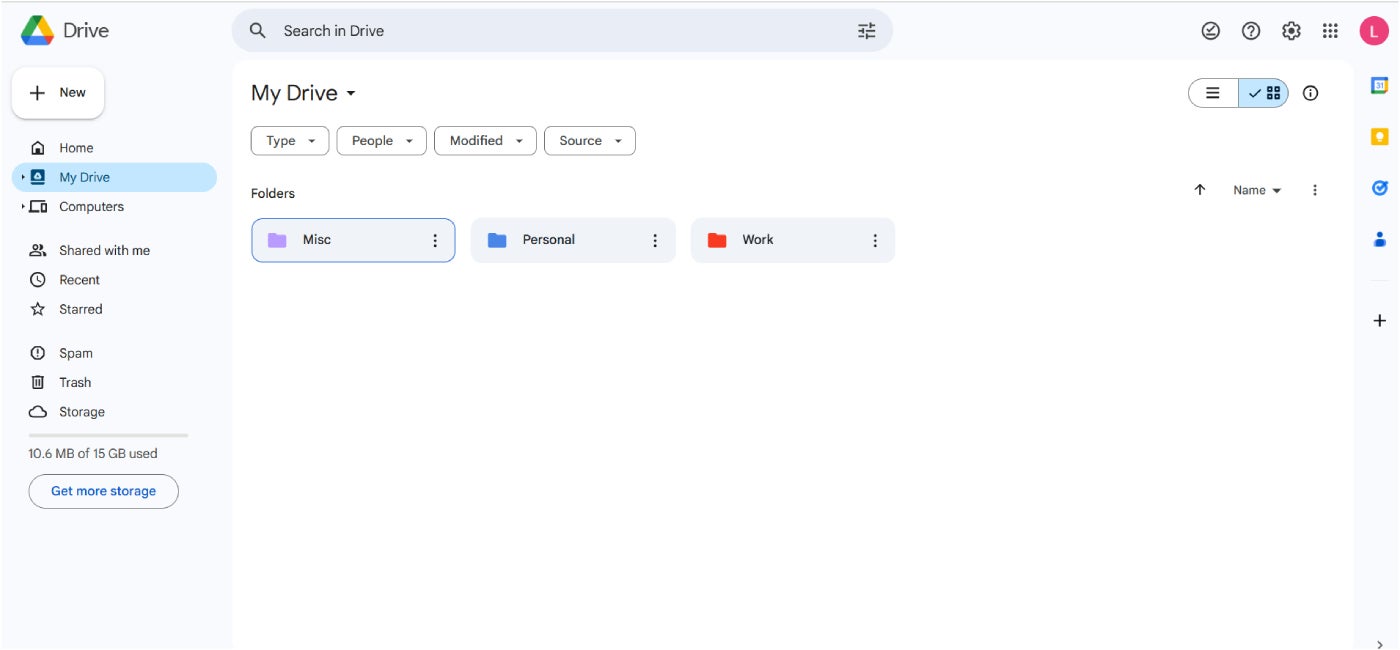
If productivity and file sharing is a top priority, Google Drive is my recommendation. As a pillar of Google Workspace, Google Drive, or Drive, is an extremely accessible cloud storage service that’s accessible to anyone with a Google account. As a base, Drive provides free storage for up to 15 GB but that’s upgradeable to up to 200 GB or 5TB — depending on if you invest in a consumer or business plan.
With Drive, managing file and folder access is simple with its highly customizable permissions system. This enables file owners to easily edit who can view, comment, or change specific items. In my view, this is beneficial for businesses that frequently share files across teams on a daily basis. Its heavy integration with Google Workspace services such as Docs, Sheets, and Gmail is also a key advantage.
I personally like Google Drive’s fairly powerful search capabilities, which can sift through hundreds of shared drives to find the exact file you need.
Why I chose Google Drive
I have Google Drive on this list for its intuitive folder sharing and permissions customization and easy-to-understand interface. It’s also a no-brainer for employees or businesses that are already heavily investing in Google’s other services.
Pricing
You can avail Google Drive either as a consumer or as a business user. Here’s a quick overview of its plans:
Consumer plans:
- 15 GB: Free.
- 100 GB: $11.99 per year for the first year, then $19.99/yr for the years after.
- 200 GB: $17.99 per year for the first year, then $29.99/yr for the years after.
Business plans:
- Business Starter: $7 per user, per month for 30 GB/user.
- Business Standard: $14 per user, per month for 2 TB/pooled storage per user:
- Business Plus: $22 per user, per month for 5 TB/pooled storage per user.
- Enterprise: Contact sales for pricing for 5 TB/pooled storage per user.
Features
- Customizable permission access and shared drives.
- Storage shared across all Google services.
- PDF annotation within the drive itself.
- AI integration with Gemini.
Pros and cons
| Pros | Cons |
|---|---|
|
|
Microsoft OneDrive: Best for Microsoft 365 environments

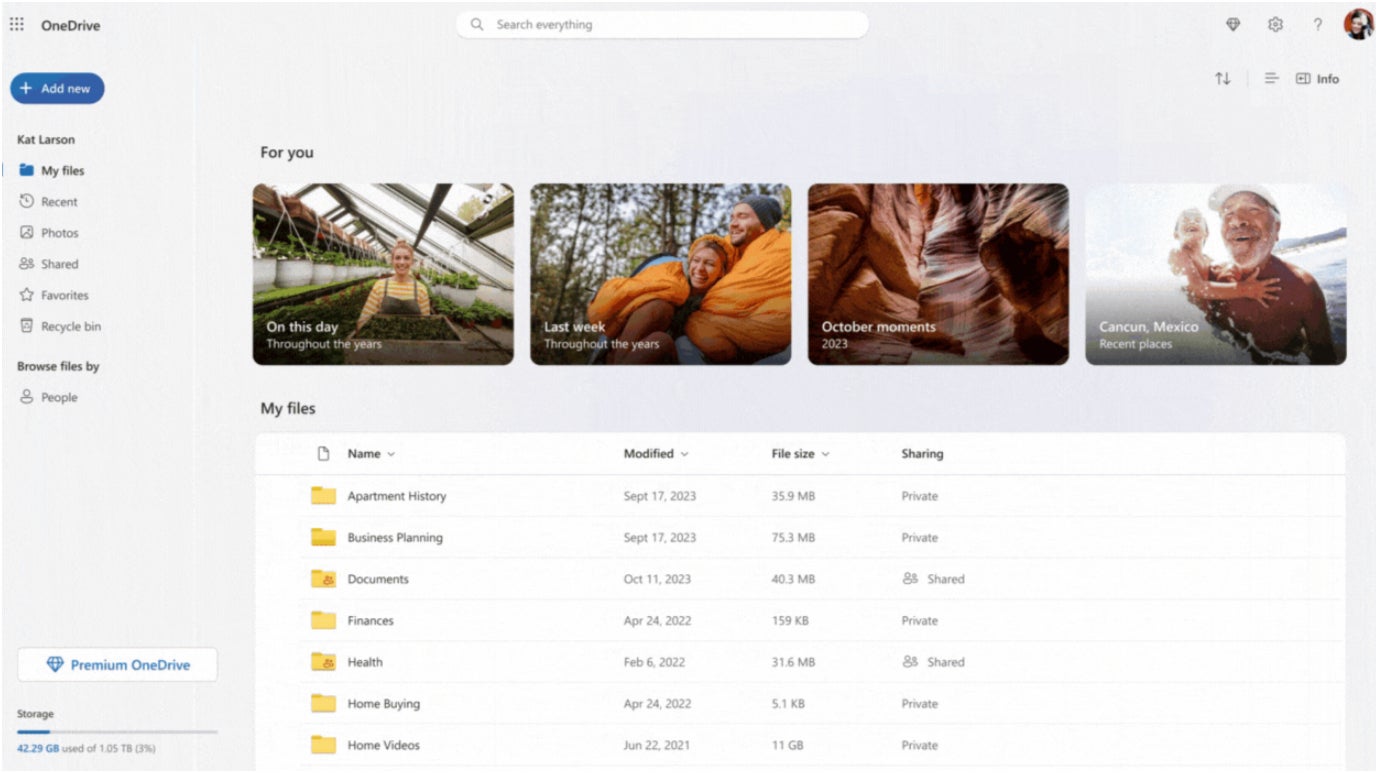
For people that primarily use Windows programs, OneDrive should be your go-to pick. A key service of Microsoft 365, OneDrive not only provides convenient storage on the cloud but can also act as your system’s primary backup and restore service. Being heavily tied into Microsoft accounts, OneDrive can seamlessly back up and sync your Windows desktop’s folders, documents, photos, and other essential files. OneDrive is also directly accessible within Windows File Explorer through its Files On-Demand feature, foregoing having to download a separate application or navigating to a dedicated website to interact with your files.
For business users, OneDrive integrates well with Microsoft Outlook, enabling users to share access OneDrive-saved files as dynamic email attachments. OneDrive for Business also offers up to 1 TB of storage per user — making it a fairly futureproof storage solution for most people in a business environment.
Why I chose Microsoft OneDrive
I selected Microsoft OneDrive due to its powerful integrations and product bundling as a Microsoft 365 service. This makes it a clear cloud storage choice for both individuals and businesses that are only interested in Microsoft’s suite of apps (Outlook, Teams, Excel) — especially since you can purchase them as an all-in-one package.
Pricing
OneDrive is available for both individual consumers and businesses. Below is a brief summary for each tier’s plans:
Consumer plans:
- Microsoft 365: Free; 5 GB of cloud storage.
- Microsoft 365 Basic: $1.99 per user, per month; 100 GB of cloud storage.
- Microsoft 365 Personal: $9.99 per user, per month; 1 TB of cloud storage.
- Microsoft 365 Family: $12.99 per user, per month; up to 6 TB of cloud storage (1 TB per person).
Business plans:
- OneDrive for business (Plan 1): $6 per user, per month; 1 TB of cloud storage.
- Microsoft 365 Business Basic: $7.20 per user, per month; 1 TB of cloud storage per user for up to 300 users.
- Microsoft 365 Business Standard: $15 per user, per month; 1 TB of cloud storage per user for up to 300 users.
Features
- Backup, sync, and restore.
- File restoration and version history of up to 30 days.
- Customizable access controls, policies, and shareable drive links.
- Access to AI with Microsoft Copilot.
Pros and cons
| Pros | Cons |
|---|---|
|
|
Features
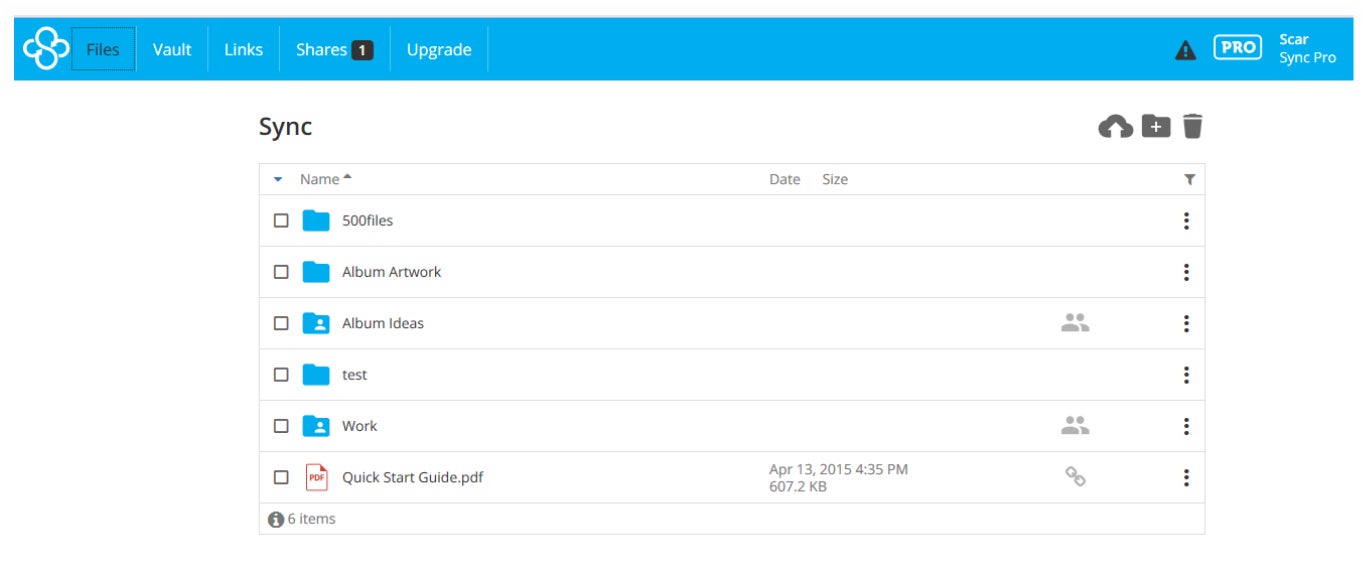
- File versions and history of up to 365 days.
- Unlimited data transfers.
- Control access capabilities with passwords, expiry dates, email.
- Real-time backup and sync.
Pros and cons
| Pros | Cons |
|---|---|
|
|
pCloud: Best for ease of use
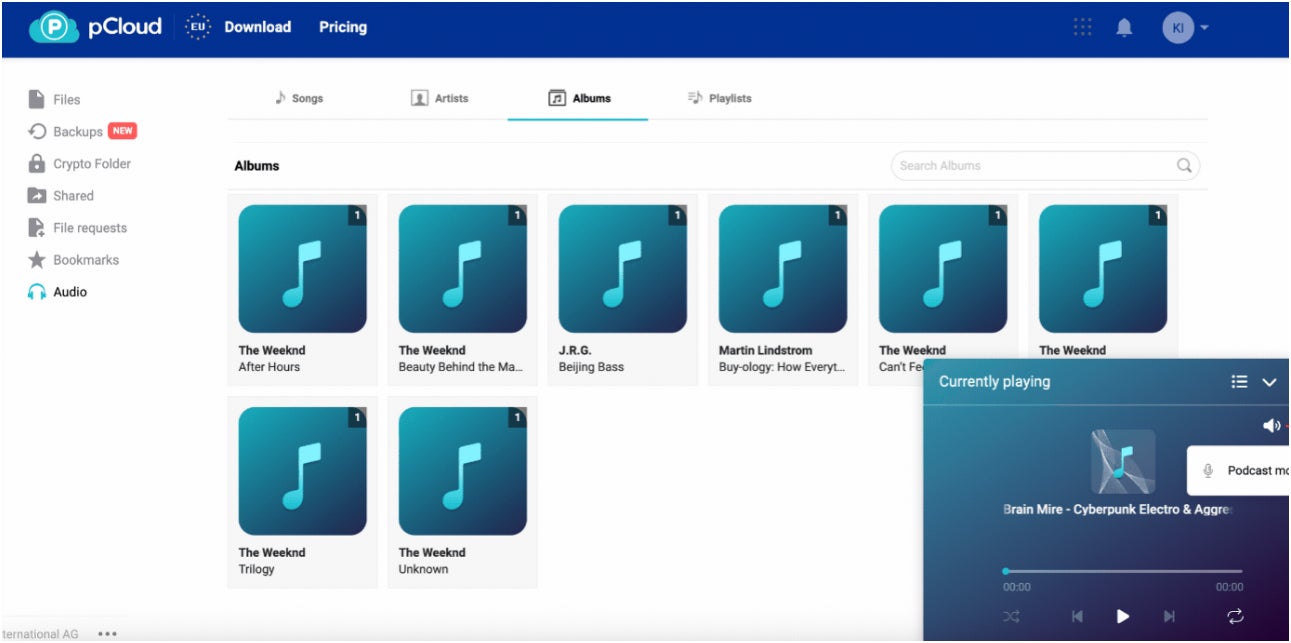
If you value ease of use, my recommendation is pCloud. pCloud is an all-around cloud storage solution that provides an intuitive and polished interface, no file size limits, and media playback capabilities within the service itself. This can be perfect for individual users that want a no-nonsense way to store and interact with their media on the cloud, be it their movies, personal collection of songs, or important documents.
For more business-oriented users, pCloud also offers meaningful features such as activity and log monitoring, file versioning of up to 180 days, and teams and access control. It also operates in privacy-friendly Switzerland, adding a layer of protection to the data of both business and end-users alike.
Why I chose pCloud
I opted for pCloud mainly due to its built-in media player, allowing users to consume their stored video and audio files from the pCloud platform itself. To me, this is a thoughtful ease-of-use feature that helps set pCloud apart from your standard cloud storage solution.
Pricing
pCloud divides its paid plans into Individual or Business subscriptions. Its Individual tier includes an annual and a lifetime subscription, while its Business options only have a monthly and a yearly subscription.
Below is pricing for both tiers:
Individual plans:
- Free version: 10 GB of storage upon sign up.
- Premium 500 GB of storage: annual is $49.99 per year; lifetime is $199 as a one-time payment.
- Premium 2 TB of storage: annual is $99.99 per year; lifetime is $399 as a one-time payment.
Business plans:
- Business annual: $7.99 per user, per month for 1 TB storage per user, for 3+ users, teams and access control, and 180 days file versioning.
- Business monthly: $9.99 per user, per month for 1 TB storage per user and all the same features above.
- Business Pro annual: $15.98 per user, per month for 2 TB storage per user, all Business features plus priority support.
- Business Pro monthly: $19.98 per user, per month for 2 TB storage per user and all the same features above.
Features
- 256-bit AES encryption for stored files.
- Secure file sharing.
- Up to 180 days file versioning.
- Free version with 10 GB storage.
Pros and cons
| Pros | Cons |
|---|---|
|
|
SEE: Penetration Testing and Scanning Policy (TechRepublic Premium)
How do I choose the best cloud storage provider for my business?
Follow your software ecosystem
In my view, most modern cloud storage providers offer very similar features. Many provide a good chunk of storage space for a reasonable price, wide enough platform support, and decent file sharing capabilities.
Perhaps, the biggest differentiator among cloud storage services is their integrations with existing ecosystems. On my list, these are Google Drive and Microsoft OneDrive with Google Workspace and Microsoft 365.
If you, your team, or your business is already heavily invested in one of these software suites, I highly suggest going for that ecosystem’s storage solution. To me, the seamless integration and consistent software experience you get with this choice can prove worth it in the long run.
Base your choice on the files you plan to store, your workflow
It’s also important to consider what types of files you plan to store via cloud storage. If you plan to stow away documents, PDFs, or spreadsheets — business-oriented services should be your go-to choice. While they may have less overall storage capacity, they typically provide more collaboration features built-in.
On the other hand, if you need bulk storage for large files like raw video or audio, you should prioritize the service that offers the largest GB capacity for the least amount of money. You should also take into consideration maximum file size and transfer limits when you’re shopping around for a provider.
Maximize free versions and storage options
A good amount of cloud storage providers have a dedicated free version with limited storage space. I encourage you to utilize these free plans, test out their software and features, and try out the service for yourself.
Some things to look out for are whether you like the cloud storage solution’s UI, how fast or slow its upload and download speeds are, and how easy it is to manage and share stored files per your requirements.
Methodology
My rundown of the best cloud storage providers involved an in-depth evaluation of each service’s storage offerings, features, and overall value for money. This includes looking into the presence of free plans, file-sharing and management functionality, security features and track record, user interface, and price, among others.
For this guide, I conducted extensive analysis of official product documentation, user feedback from online forums and third-party reviews, and my own subjective assessment of how each cloud storage solution could benefit specific individuals and businesses.